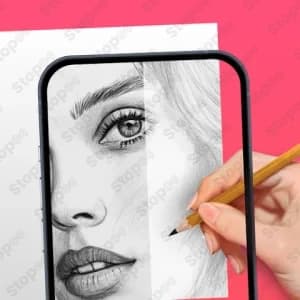
Manage AR Drawing
What you don't know !

Silent Waste
84%
of people lose money every month on unused services

Lack of Transparency
60%
of users feel lost facing cancellation terms

Budget Illusion
82%
of consumers underestimate the cost of their automatic withdrawals

Fear of Commitment
44%
of subscribers have experienced a 'commercial trap' experience
Legal Validation
All our letters are written by legal experts to guarantee their compliance.
Legal Commitment
We generate legally binding documents that your provider is obligated to honor.
Immediate Efficiency
Free yourself from your commitments in less than 2 minutes, directly online.
Budget Optimization
Regain control of your finances by stopping superfluous withdrawals.
Cancel AR Drawing: The Right Way
How to cancel AR drawing and reclaim your creative budget
Understanding AR drawing and why you might want to cancel
AR Drawing is a mobile application that uses augmented reality to help you trace images onto surfaces for sketching and drawing. The app operates on an automatic subscription model, charging your payment method each month (or week, depending on your plan) unless you actively cancel. If you downloaded AR Drawing during a free trial period, you may now find yourself locked into recurring charges that no longer align with your creative practice or budget.
Many UK subscribers sign up with genuine enthusiasm but discover within weeks that the app doesn't integrate as smoothly into their workflow as expected. Others simply find free alternatives, lose interest in tracing-based drawing, or face tighter household budgets requiring cuts to discretionary spending. Whatever your reason, cancelling AR Drawing is a straightforward process once you know where to look and what to anticipate.
At Stopee, we've helped thousands of consumers navigate subscription cancellations across creative apps, entertainment platforms, and fitness services. This guide walks you through every step of cancelling AR Drawing, understanding your consumer rights under UK law, and avoiding the common traps that keep people paying for apps they no longer use.
Why you should act now
Subscription apps rely on inertia. Every month you delay costs you real money. If you're on the weekly plan (£4.99 per week), you're spending £259.48 annually. Even the monthly plan (£9.99) adds up to £119.88 per year. That's money you could redirect towards materials, better software, or simply peace of mind.
Additionally, the longer you remain subscribed, the more you risk forgetting about the charge entirely. Bank statements show these transactions under various merchant names, making them easy to overlook during monthly reviews. Cancelling now prevents future surprise payments and gives you immediate control over your finances.
When you should consider cancelling
You should cancel AR Drawing if you've noticed any of these patterns: you haven't opened the app in over two weeks, you've found free or cheaper alternatives that suit your needs better, your drawing practice has shifted away from tracing-based methods, or your household budget simply requires cutting non-essential subscriptions right now.
If you're on a free trial that's about to convert to paid status, cancelling immediately prevents the automatic charge from occurring. You'll lose access to the app instantly, but you won't be billed.
Subscription pricing and what you're actually paying
AR Drawing offers three subscription tiers, each with different billing frequencies and price points. Understanding these options helps you calculate exactly how much you've spent and what cancelling will save you going forward.
Current pricing breakdown
| Plan | Billing frequency | Cost per period | Annual equivalent | Value assessment |
|---|---|---|---|---|
| Weekly | Every 7 days | £4.99 | £259.48 | Poorest value |
| Monthly | Once per month | £9.99 | £119.88 | Reasonable value |
| Annual | Once per year | £39.99 | £39.99 | Best value (if used) |
Pro tip: If you're on the weekly plan, you're paying more than six times what annual subscribers pay per year. This plan captures impulse buyers who don't calculate cumulative costs. If this is your situation, cancelling becomes financially urgent.
Hidden costs and merchant name confusion
AR Drawing charges appear on your bank statement under various merchant names, which is why many subscribers miss these recurring payments. You might see "AR Drawing Ltd", "Digital Creative Tools", or a payment processor name instead of the app name itself. This deliberate obscurity makes it harder for you to spot the charge during your monthly budget review.
When calculating your true annual spend, don't forget to include any payments you made during the free trial period before your subscription activated. Many consumers underestimate their total investment because they forget about those initial charges.
Your consumer rights under UK law
The Consumer Rights Act 2015 and the Consumer Contracts Regulations 2013 protect you when cancelling digital subscriptions in the UK. Understanding these rights empowers you to cancel confidently, even if AR Drawing makes the process deliberately difficult.
What the law says about cancellation
Under UK consumer law, you have the right to cancel a digital subscription within 14 days of the start date without providing a reason. This is your statutory cooling-off period. However, once you've begun using the app (even just opening it once), AR Drawing may claim that this right is forfeit because you've "consumed the service".
After the 14-day window closes, your cancellation rights shift. You can still cancel at any time, but the terms depend on what the service provider specifies in their terms and conditions. Many subscription apps require you to cancel before your next billing date, or they charge you for another full period. Stopee recommends checking AR Drawing's cancellation policy in their terms before you cancel to understand what happens to your final payment.
Important: If AR Drawing charged you after you requested cancellation, or if they refuse to process your cancellation request, you can escalate the complaint to Citizens Advice Consumer Service (part of the Trading Standards service in England and Scotland) or your local consumer protection authority in Wales or Northern Ireland.
Refund rights and what to expect
If you cancel within 14 days of purchase and haven't used the service significantly, you're entitled to a full refund under consumer law. However, AR Drawing may resist this claim by arguing you've consumed the product. If this happens, Stopee recommends documenting your cancellation request and requesting a refund formally in writing.
For cancellations after the 14-day period, refunds depend entirely on AR Drawing's policy. Some apps offer pro-rata refunds (a partial refund for unused days in your current billing period); others offer none. Check their terms, or contact their support team before cancelling to clarify what you'll receive.
How to cancel AR drawing on iOS
If you subscribed to AR Drawing through Apple's App Store, you manage your subscription through your Apple ID settings, not within the app itself. Apple handles all billing, so your cancellation request goes directly to Apple, not AR Drawing.
Step-by-step cancellation on iOS
- Open Settings on your iPhone or iPad.
- Look for the grey gear icon on your home screen.
- Tap your name at the top of the Settings menu.
- This opens your Apple ID account page.
- Select "Subscriptions" (you may need to tap "Media and Purchases" first).
- If prompted, authenticate with Face ID, Touch ID, or your Apple password.
- Find "AR Drawing" in your active subscriptions list.
- The app will show your next billing date and current plan details.
- Tap on "AR Drawing" to open your subscription details.
- You'll see your renewal date and pricing information.
- Tap "Cancel Subscription" at the bottom of the screen.
- Apple will ask you to confirm your cancellation reason (optional).
- Select a reason from the dropdown, or skip this step.
- Confirm your cancellation by tapping "Confirm Cancellation".
- Apple will send you a confirmation email immediately.
- You'll retain access to AR Drawing until your current billing period ends.
Warning: Deleting the AR Drawing app from your phone does not cancel your subscription. You must follow these steps in Settings, or the charges will continue. Stopee has seen countless cases where users deleted the app thinking they'd cancelled, only to discover months later they were still being charged.
Pro tip: After completing step 7, open your email and take a screenshot of Apple's cancellation confirmation. Keep this for your records in case a dispute arises later.
How to cancel AR drawing on android
Android users typically manage AR Drawing subscriptions through Google Play Store. The cancellation process mirrors Apple's but uses Google's interface instead.
Step-by-step cancellation on android
- Open the Google Play Store app on your Android device.
- Look for the colourful Play Store icon on your home screen.
- Tap your profile icon in the top right corner.
- This is usually a circular avatar or your initial letter.
- Select "Payments and subscriptions".
- You'll see a menu with "Payments", "Subscriptions", and "Rewards".
- Tap "Subscriptions" to view all your active subscriptions.
- Google will display every subscription tied to your Google account.
- Find "AR Drawing" in your subscriptions list and tap it.
- Your screen will show your plan type, billing date, and renewal amount.
- Tap "Cancel subscription".
- Google will present you with options to pause your subscription instead (ignore these unless you want to temporarily stop).
- Follow Google's prompts and confirm your cancellation.
- Google will ask why you're cancelling (optional feedback).
- Submit your cancellation, and Google will send a confirmation email.
Warning: Some users accidentally pause their subscription instead of cancelling it. Pausing temporarily stops charges but automatically resumes after 30 days. If you want to cancel permanently, ignore the "Pause subscription" option entirely and select "Cancel subscription" only.
Pro tip: Check your Google Play Store settings to see if you have automatic billing enabled. If it is, confirm that your cancellation has removed AR Drawing from your active subscriptions list. Return to step 4 after cancelling to verify.
What happens after you cancel AR drawing
Cancelling AR Drawing doesn't mean instant loss of access. Understanding what happens next helps you plan your transition to alternative tools.
Your access timeline
Once you cancel, you retain full access to AR Drawing until your current billing period ends. If you cancel mid-month on a monthly plan, you keep using the app until your next renewal date would have occurred. Only then does your account lock you out.
This grace period is valuable. You can continue using AR Drawing while you explore free alternatives, backup any sketches or projects, or simply finish any work in progress. Take screenshots of any important settings or custom configurations you've created.
What you should do before access expires
- Export or screenshot any drawings, sketches, or custom brushes you've created within AR Drawing.
- Note down any settings or preferences you configured, in case you want to replicate them in another app later.
- Check your email for AR Drawing's cancellation confirmation and save it permanently.
- Verify that no further charges appear on your next bank statement after your access period expires.
Stopee recommends setting a phone reminder for the day after your final billing period ends. Check your bank account to confirm that AR Drawing has stopped charging you. If you see another charge, contact your bank or payment provider immediately to report unauthorised billing.
Refunds and what you can claim
Your refund eligibility depends on when you cancel relative to your purchase date and how much of the service you've actually used.
Within the 14-day cooling-off period
If you cancel AR Drawing within 14 days of your initial purchase and haven't substantially used the app, you're entitled to a full refund under the Consumer Contracts Regulations 2013. Submit your refund request in writing to AR Drawing's support team, citing this regulation. Include your subscription confirmation email and cancellation date.
Pro tip: Contact AR Drawing support via their official website (not social media). Use formal language and keep your email concise: "I purchased AR Drawing subscription on [date]. I cancel this purchase under the Consumer Contracts Regulations 2013 (14-day cooling-off period) as I have not substantially used the service. Please process a full refund to my original payment method. My order reference is [your order ID]."
After 14 days
Once 14 days have passed, your cooling-off right expires (unless AR Drawing hasn't provided proper cancellation terms upfront, which is a separate violation). At this point, refunds depend on AR Drawing's stated policy. Many apps offer no refund after 14 days. Some offer pro-rata refunds for unused days in your current billing period.
Check AR Drawing's terms and conditions before requesting a refund. If they guarantee pro-rata refunds and you cancel mid-month, you may be entitled to a partial refund for unused days. Submit your request in writing with your subscription dates and your request for a pro-rata calculation.
If AR Drawing refuses a refund you believe you're entitled to under consumer law, escalate your complaint to Citizens Advice Consumer Service or your local Trading Standards office (in England and Scotland) or the consumer protection service in Wales or Northern Ireland.
Common mistakes when cancelling AR drawing
Cancellation feels straightforward in theory but often trips up real users. Here are the mistakes Stopee sees repeatedly, and how to avoid them.
Mistake 1: deleting the app instead of cancelling the subscription
This is the single most common error. You uninstall AR Drawing from your phone, feel relief, and assume you've cancelled. Weeks later, you spot the charge on your bank statement. The subscription was never cancelled; it simply became invisible because you'd deleted the app.
The fix: Always cancel through your Apple or Google account settings, not by deleting the app. Even better, cancel first, then delete the app afterwards.
Mistake 2: pausing instead of cancelling
Both Apple and Google offer pause options that temporarily suspend charges. Pausing seems gentler than cancelling, so many users select it thinking they've cancelled permanently. Unknown to them, their subscription automatically resumes after 30 days.
The fix: If you want to cancel permanently, reject the pause option and select cancel explicitly. Pause is only useful if you genuinely plan to resume within 30 days.
Mistake 3: not confirming your cancellation
You tap "cancel" in your subscription settings and assume you're done. But some payment systems require a final confirmation step, and if you close the browser or navigate away before completing it, your cancellation doesn't process.
The fix: Stay on the confirmation page until you receive an email confirmation from Apple, Google, or AR Drawing. Take a screenshot of the confirmation message as proof.
Mistake 4: waiting until after the next billing date
If you cancel after your subscription has already renewed, you've just paid for another full month (or year) that you won't use. Some payment providers offer grace periods for quick cancellations post-billing, but don't count on this.
The fix: Cancel several days before your next billing date. Check your subscription settings for your exact renewal date. If you've already been charged and cancellation is too late, contact your bank or payment provider within 30 days to dispute the charge as unauthorised.
Checking your cancellation and preventing future charges
Once you've clicked "cancel", your responsibility doesn't end. Verify that the cancellation actually processed and that AR Drawing stops charging you.
Your verification checklist
- Receive and save your cancellation confirmation email from Apple, Google, or AR Drawing.
- Return to your subscription settings (Apple Settings > [Your Name] > Subscriptions, or Google Play > Payments and Subscriptions > Subscriptions) and confirm AR Drawing no longer appears in your active subscriptions list.
- Note your current billing period end date. Mark your calendar for the day after.
- Review your bank or card statement on the day your billing period ends. Confirm no charge appears.
- Check again 5 days after your access period ends, in case your bank delays processing the final transaction.
- If a charge appears after cancellation, contact your bank or payment provider and dispute it as unauthorised billing.
Pro tip: Set a phone reminder for 3 days after your expected access period ends. Open your bank app and search for "AR Drawing" to confirm no new charges exist. This tiny action catches unauthorised billing immediately.
Comparing AR drawing to free and paid alternatives
If you're cancelling AR Drawing, you might wonder what other options exist for augmented reality drawing and tracing.
Alternatives to consider
| Tool | Cost | Best for | Key difference |
|---|---|---|---|
| Ibis Paint X | Free or £3.49 one-time (one-time) | Digital artists wanting advanced brushes | No AR, but superior brush engine |
| Procreate Pocket | £9.99 one-time purchase | iPad users wanting professional tools | One purchase, no subscription |
| Medibang Paint | Free with optional premium (£9.99/month) | Manga and comic artists | AR tracing is secondary feature |
| Adobe Fresco | £9.99/month or included in Creative Cloud | Artists wanting Adobe ecosystem integration | No AR, but excellent blending and texture |
| Sketchbook | Free with ads, or £4.49/month unlimited | Casual sketchers and hobbyists | No AR, but very user-friendly |
| Simple camera app with paper | Free | Budget-conscious traditional artists | Photograph your subject and trace by hand |
Many artists find that traditional methods-printing an image and tracing it by hand, or using a light box with a reference photo-deliver better results than AR tracing apps, especially for learning drawing fundamentals. If you're cancelling AR Drawing because it wasn't delivering value, one of these free or one-time-purchase alternatives might suit you better than another subscription.
If AR drawing refuses to cancel
Occasionally, users report that AR Drawing or their payment processor blocks cancellation attempts. This is rare but happens, particularly with smaller app companies or when billing issues exist on the account.
Steps to escalate
- Contact AR Drawing support directly.
- Visit their official website or search your confirmation email for their support contact.
- Send a formal cancellation request in writing with your subscription ID and request date.
- Keep a copy of your request for your records.
- If AR Drawing doesn't respond within 7 days, contact your payment provider (Apple, Google, your bank, or your card issuer).
- Report that you requested cancellation but the company is continuing to charge you without authorisation.
- Ask your provider to stop the charges and investigate.
- If your payment provider doesn't help, file a complaint with Citizens Advice Consumer Service or your local Trading Standards office.
- Provide copies of your cancellation requests, confirmation attempts, and bank statements showing unauthorised charges.
Warning: Never provide AR Drawing with additional payment information or credentials while trying to resolve a cancellation dispute. Scammers sometimes impersonate apps to extract payment details.
Final checklist before you cancel
Use this checklist to ensure you're ready and that nothing surprises you after cancellation.
| Task | Status |
|---|---|
| Find your subscription in Apple Settings or Google Play | Done / Not yet |
| Note your next billing date | Done / Not yet |
| Export or backup any drawings you want to keep | Done / Not yet |
| Click "Cancel subscription" and confirm | Done / Not yet |
| Save your cancellation confirmation email | Done / Not yet |
| Verify AR Drawing no longer appears in your subscriptions list | Done / Not yet |
| Set a reminder to check your bank statement after your access period ends | Done / Not yet |
Take control of your subscriptions with stopee
Cancelling AR Drawing is just one step in managing your broader subscription portfolio. Stopee has helped thousands of consumers cancel unwanted app subscriptions, streaming services, fitness memberships, and digital tools. We provide step-by-step guidance tailored to your specific service and payment method, along with insider knowledge about common traps and how payment providers actually respond to disputes.
If you're cancelling AR Drawing today, you're taking back control of your creative budget. That same energy applies to every other recurring charge on your bank statement. Visit Stopee to explore cancellation guides for other services you might be paying for without realising, and discover how to manage your subscriptions more strategically going forward.
Your finances improve when you eliminate subscriptions that no longer serve you. Start now, and within minutes, you'll stop the AR Drawing charges. Stopee is here to guide you through every step of the process.